Enabling / Disabling Menus
Overview
Rhapsody 10 introduced a few helpful new features for helpers. One of those is the ability to enable / disable menu items through the API. Note that this only works for menu items that have been added using a hep file - you can't use it on Rhapsodys own menus (yet!).
Using it is very simple - the Java call is on IRPApplication and it has the following signature:
setHeperStatus(String,int)
- The first argument is the name of the menu item - exactly as it is written in the hep file.
- The second is 0 or 1 (0 disables the menu and 1 enables it)
For example:
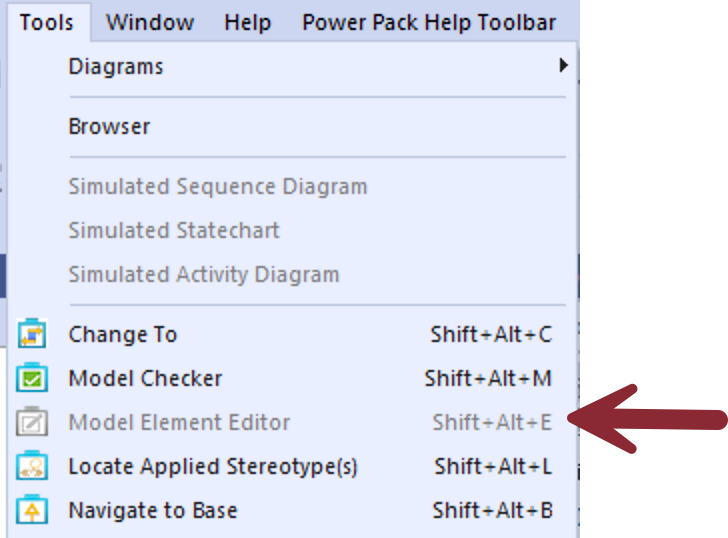
rhpApp.setHelperStatus( "Model Element Editor", 0 );
rhpApp.setHelperStatus( "Rhapsody Power Pack Help\\Open in Web Browser", 0 );
Disabling the menu greys it out:
The same goes for any custom toolbar button you've assigned it to:
