Structured Table Views
Context Patterns in Table Layouts
As you probably already know, Table Layouts in Rhapsody may be defined using Context Patterns - an extremely powerful capability that can even include java plugins to grab model data. These can sometimes be very long and complex but a simple example might look like this:
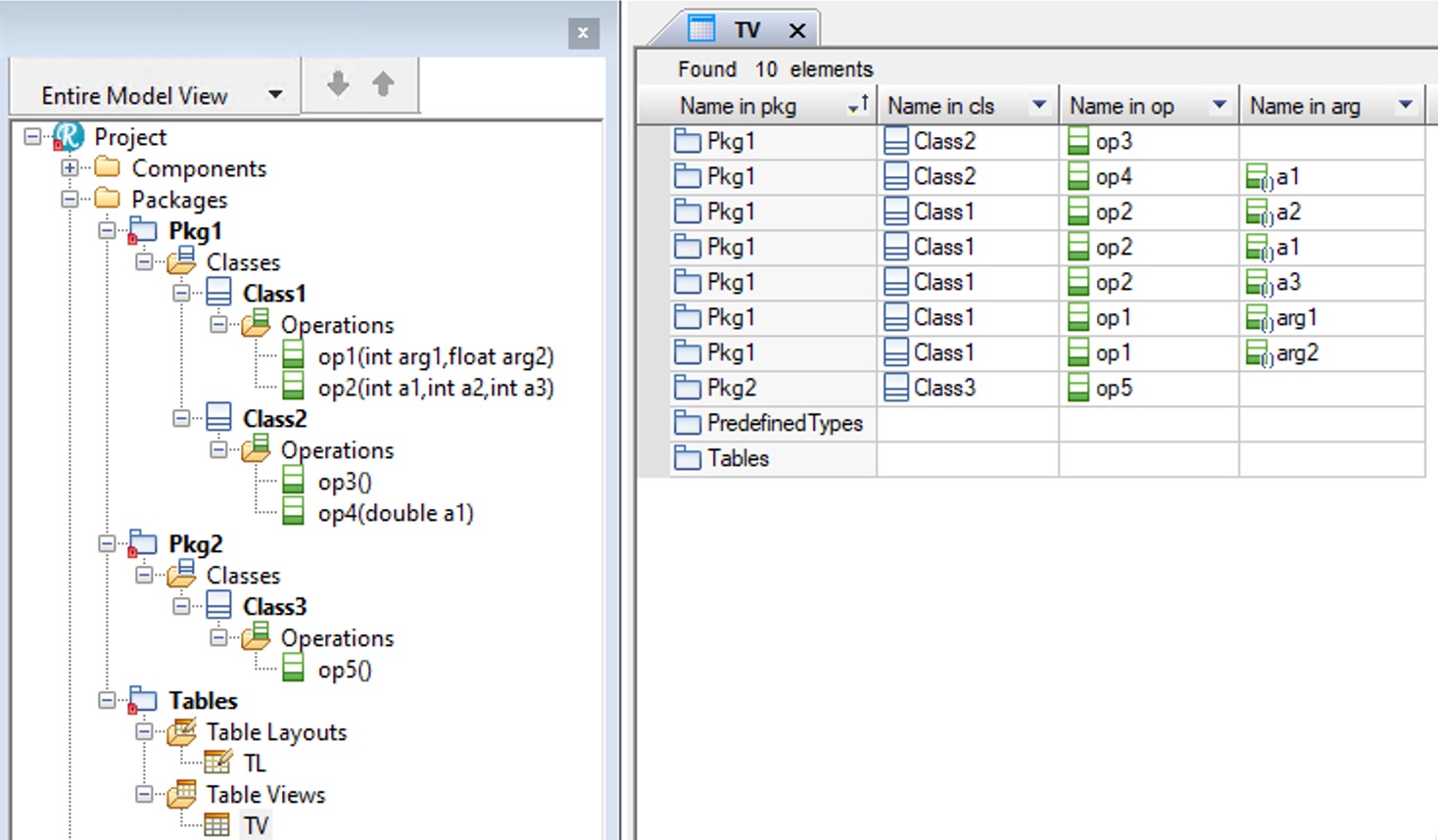
Project*,{pkg}Package,{cls}Class,{op}Operation,{arg}Argument
A basic Table View based on such a layout might then look like this:
Collapsing The First Column
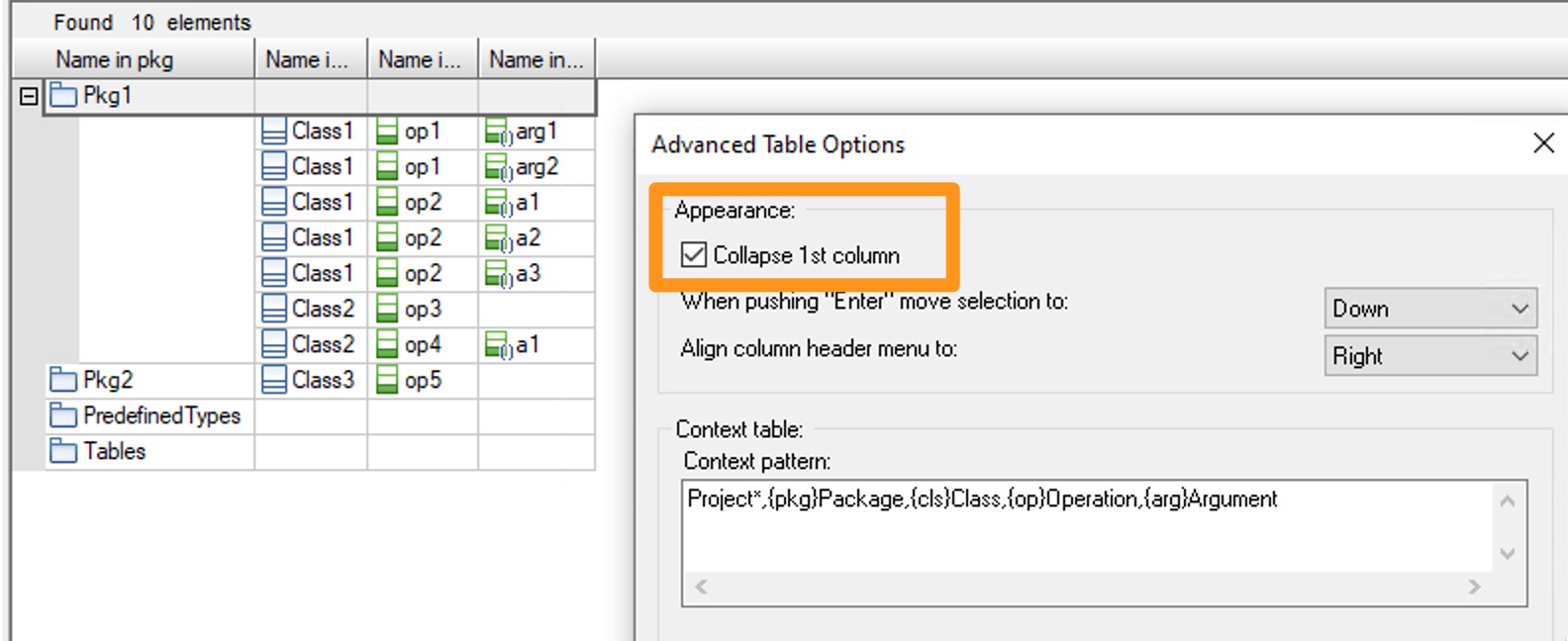
While this gives the expected data it isn't particularly readable. Setting the layout to collapse the first column helps a little:
Collapsing All Columns
But did you know there is another option ? You can turn the entire table into a structured view that makes every part collapsible, not just the first column:

So cool !
So what's the secret sauce for this little gem ? Simple:
- Add another column to your table
- Move it to the top - it MUST be the first column
- When it is the first column, an additional option appears in the Type selector - Context Pattern Hierarchy
Thats it - no need to select anything else in any of the other fields:

Whats the downside ? The twisties for filtering the table based on the column data vanish so those options are gone but thats a small price to pay - and in any case you can always have two layouts displaying the data in twqo different ways, one as a tree and the other as a searchable list.
The Profile Builder
If you think the Context Pattern syntax is a bit hairy - you are not alone. Fortunately you never have to write another one by hand if you use the Profile Builder, my latest creation available now from Sodius Willert.

This powerful little package is the profile builder's dream - it makes the creation and maintenance of profiles a pleasure rather than a chore. And if you already have a profile, no problem - the Profile Builder can reverse engineer it into a model. It provides the following capabilities:
- Profile Creator
- Quickly create a profile and tables to add / modify stereotypes.
- Metaclasses Editor
- Build and maintain comma separated lists of metaclasses for properties and tags.
- Order Metaclasses
- Easily change the order of comma separated lists on properties and tags.
- Stereotype Editor
- Build and re-order comma separated lists for specific properties, modify graphics and icons and build custom Add New menus.
- Add New Menu Builder
- Model and generate custom Add New menus.
- Perspectives Creator
- Allows the modelling and generation of Rhapsody perspectives.
- Helper File Creator
- Allows the modelling, generation and importing of Rhapsody helper (HEP) files.
- Property File Creator
- Allows the modelling, generation and importing of Rhapsody property (PRP) files including property help.
- Property Perspectives
- Create property perspectives for your users allowing easier consumption of properties in the Rhapsody features window.
- Guide Me Builder
- Allows the modelling and generation of Guide Me’s.
- Context Pattern Generator
- Allows the modelling and generation of Context Patterns along with queries, table layouts and custom model browsers.
- Conditional Property Value Checker
- Presents the evaluated value of a conditional property.
- Export Overridden Properties to File
- A simple and easy way to create property files.